
PVC High Speed Roll Up Door Installation Guide – Part 2: On-Site Installation, Safety Checks and Commissioning
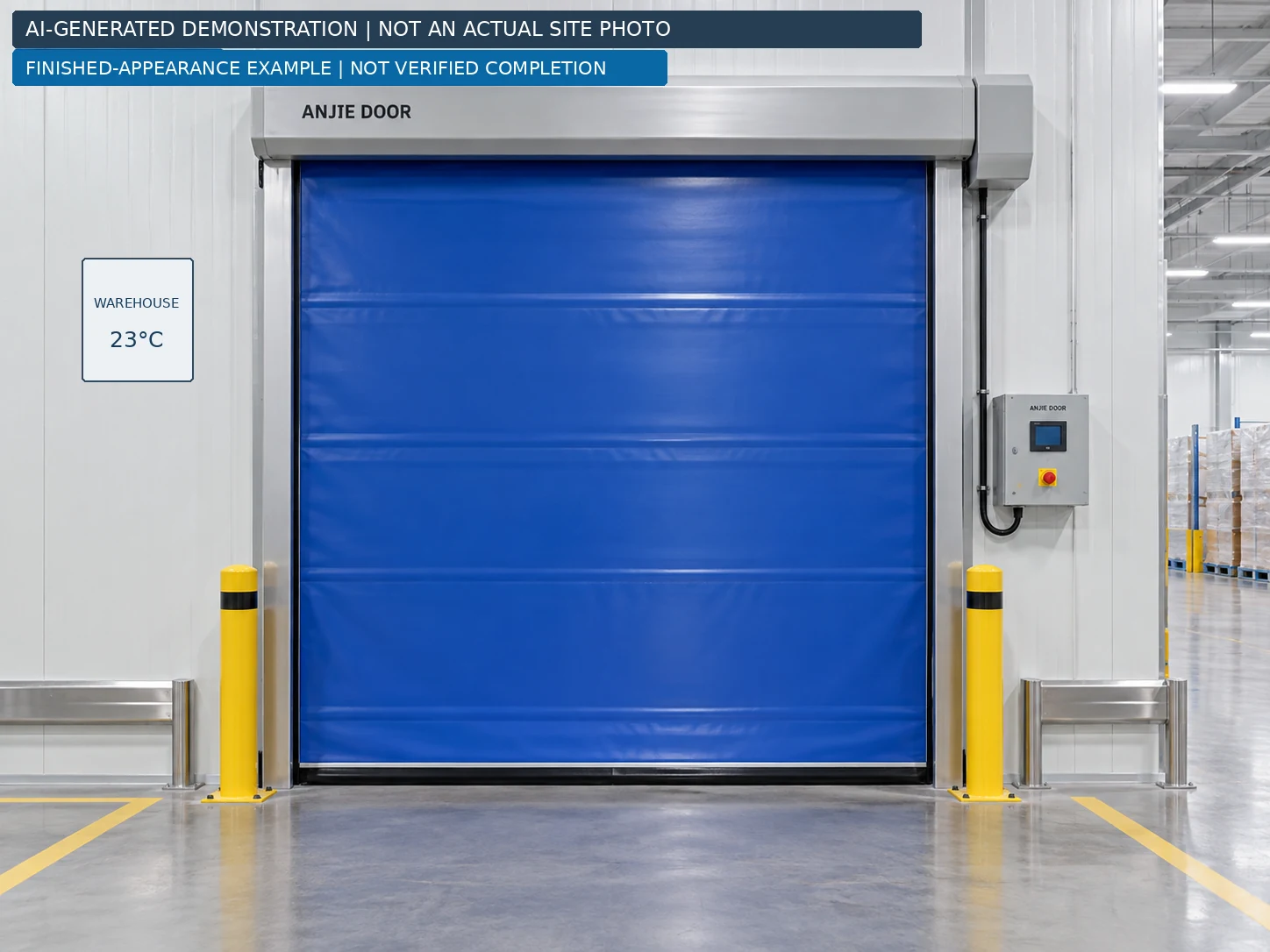
Figure 7. Finished-appearance example only—not a verified completed installation. Colour, frame finish, motor side, control equipment and barriers are illustrative. The optional lower vision window is not shown.
From frame alignment and curtain checks to controlled testing and handover.
In Part 1, we followed a warehouse door project from the customer's opening measurements to an installation coordination drawing. This second article takes the same brief into an illustrative PVC high speed door installation process, explaining what the installation team should check, what should be recorded and when work should stop for clarification.
The objective is not simply to make a curtain move. It is to deliver a coordinated door system with a verified clear passage, suitable supports, correctly integrated controls and documented acceptance checks.
About this case and its images: Project AJ-WH-2395-2400 is a documented planning brief, not a verified completed installation. All photographic-style images in this article are demonstrations, not actual customer-site photographs. The English drawing is for coordination only and is not released for fabrication or construction. The sequence below applies only after the manufacturer has issued the necessary project-specific instructions. [1]
The warehouse project at a glance
| Item | Recorded project basis |
|---|---|
| Existing opening | 2395 mm wide × 2400 mm high; site remeasurement required |
| Application | Internal warehouse-to-corridor passage |
| Temperatures | Warehouse approximately 23°C; corridor approximately 30°C |
| Traffic | Forklifts and hand trolleys; approximately 10 movements per hour |
| Selected door | Sealed self-repairing PVC high-speed door with standard curtain |
| Optional feature | Lower vision window; dimensions and inclusion unconfirmed |
| Requested operation | Activation from both sides and automatic closing |
| Requested protection | Safety light curtain and necessary presence detection |
| Power-failure provision | Manual opening; supplied method still to be confirmed |
These are the recorded requirements and selection, not a statement that every option has been supplied. Equipment dimensions, supports, power supply, final safety configuration and installed clear width and height remain subject to confirmation. [1]
Before the installation team starts
The working pack should contain the released arrangement drawing, exact door and controller identification, packing list, fixing details, electrical schematic, safety-device instructions and commissioning procedure. Reconcile these with the order before unpacking components for assembly.
This is a project-management guide, not a substitute for a model-specific installation manual. Structural decisions, lifting, electrical work and commissioning belong to competent personnel with the appropriate responsibilities. Public manuals cited here are cross-checks for general principles; their bolt sizes, wiring terminals and settings are not ANJIE specifications. [2, 3]
Step 1 – Secure the work area and recheck the site
Agree the installation window with the warehouse team and divert forklifts and hand trolleys away from both approaches. Establish a controlled working area that includes space for unpacking and handling the head assembly. Inspect the delivery for damage and reconcile components with the packing list before proceeding. [3]
Where equipment can be energized, use the site's energy-isolation procedure. Identify electrical supplies and any stored mechanical energy; prevent unexpected starting or falling components. Pressing STOP is not electrical isolation. A qualified person must verify the safe condition before exposed electrical work. [4, 12]
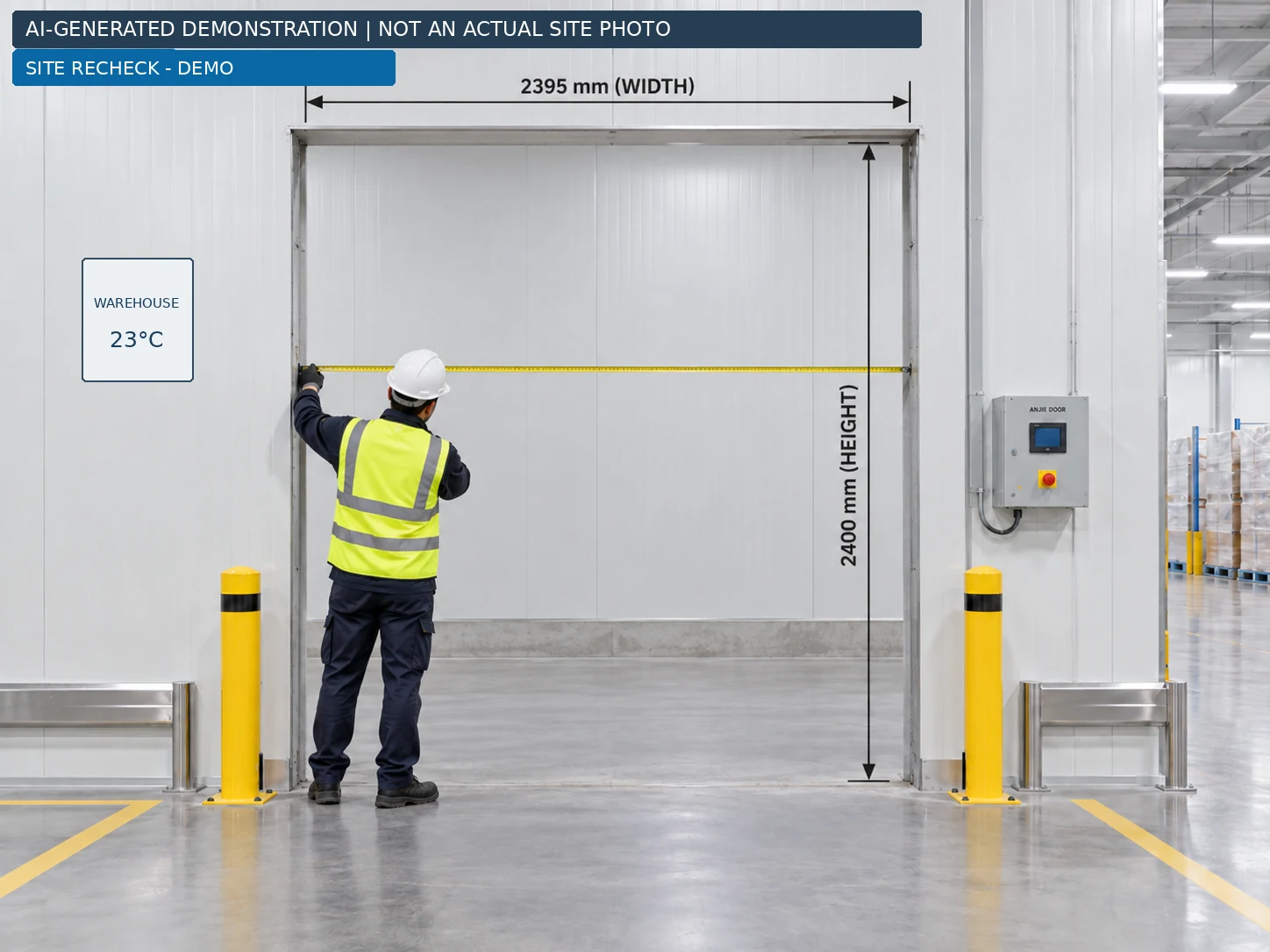
Compare the building with the released drawing
Recheck the opening at several positions, confirm the finished floor reference and identify new obstructions. Compare available headroom, left and right space, and service access with the released equipment envelope—not with dimensions estimated from an image. Manufacturer guidance also calls for checking obstructions, support surfaces and opening stability. [2]
For this case, record differences against the original 2395 × 2400 mm brief and refer them back for review. A changed floor finish, a new cable tray or a relocated control box is a coordination issue to resolve before drilling.
Hold point: Do not proceed with a damaged component, unexplained dimensional mismatch or unconfirmed load-bearing support.
Step 2 – Transfer the drawing to the opening
Use the agreed finished floor level, opening centreline and mounting face as the setting-out references. Identify which side of the wall carries the door, where the motor is to sit and where covers must be removable. The right-hand motor shown in an illustration does not establish the handedness of the order. [1]

Keep three dimensions separate
Existing opening: W0 and H0 describe the building aperture. Equipment envelope: overall width, height and projection describe the door assembly. Installed clear passage: Wc and Hc describe the usable opening when the door is fully open. The project drawing leaves Wc and Hc unconfirmed. [1]
Prepare a setting-out record showing the verified aperture, final guide positions, reference elevation, fixing locations and any approved shims or support details. Record the proposed positions before concealing them with covers.
The coordination sheet is not a drilling template. Do not scale anchor spacing from it, substitute another manufacturer's dimensions, or assume that face mounting automatically preserves all 2395 × 2400 mm of the original opening. [1]
Hold point: Obtain the manufacturer-completed drawing and approved fixing details before turning the setting-out marks into permanent holes.
Step 3 – Position and secure the frame and side guides
The assembly order depends on the supplied model. Some doors are assembled on the floor before being raised; others use separately installed supports and a lifted head assembly. Choose the documented method, including temporary support arrangements, rather than treating the following illustrations as a universal sequence. [2, 3]
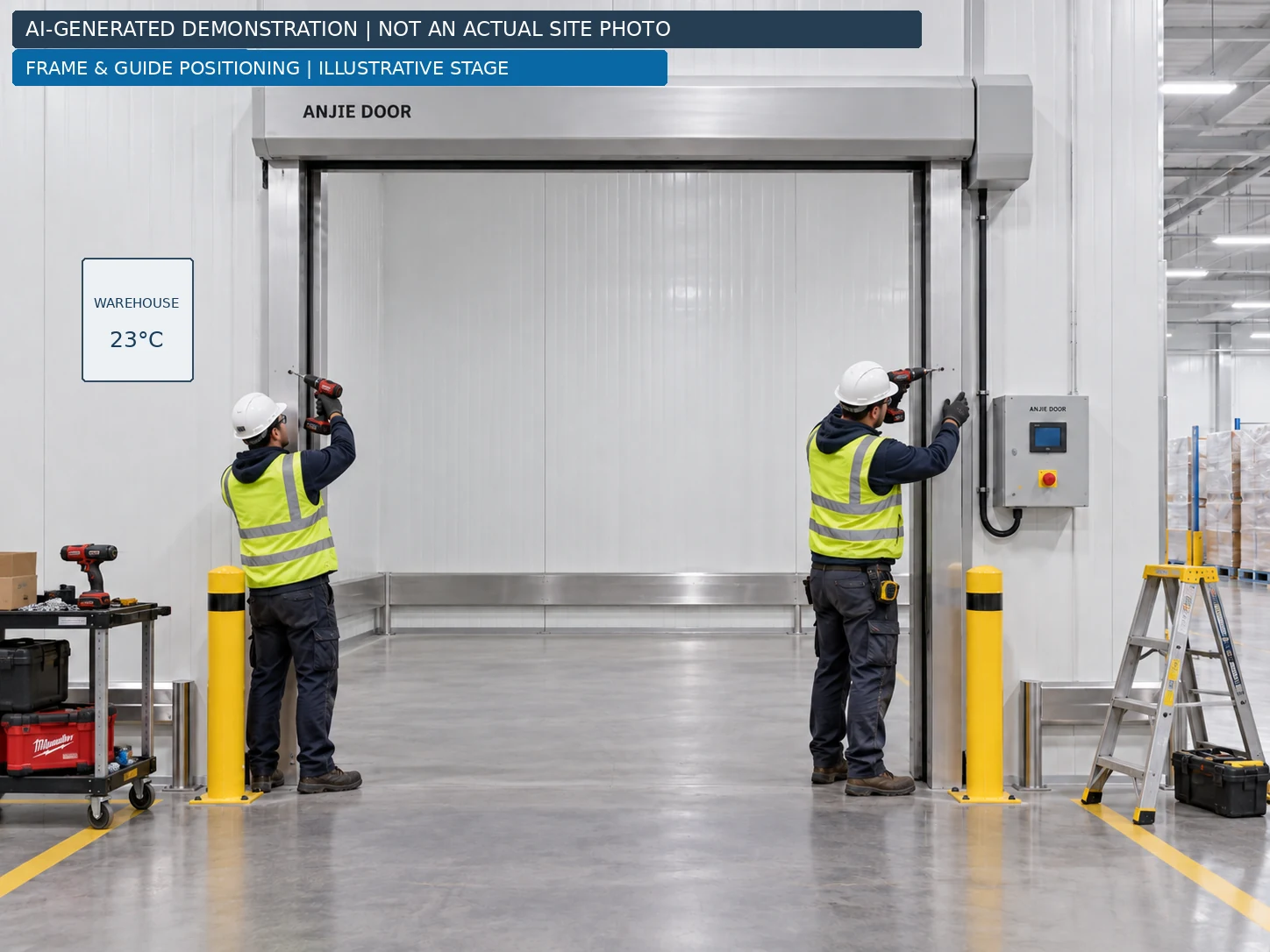
Proposed alignment record for this project
Record guide spacing at the top, middle and bottom, the vertical alignment of both sides, the header reference and the frame diagonals. Compare the results with the actual model's tolerances. Recheck after final fixing; the record should describe the secured frame, not only its loosely positioned state.
Use the fixing design for the actual substrate. An insulated wall panel or light partition must not be assumed to provide suitable support merely because its surface appears solid. Required supporting steelwork and connections must be resolved before the door is loaded. [3]
Record the approved anchor specification and installation checks, including any specified tightening or curing requirements. Do not substitute a generic expansion-bolt size or pull a distorted frame into line by excessive tightening. Resolve a mismatch in the support or mounting plane instead.
Hold point: Do not load an inadequately supported frame or proceed with unexplained misalignment.
Step 4 – Install the head assembly, motor and curtain package
Treat the top assembly as a planned handling operation. Its mass, centre of gravity, approved lifting points and supporting structure must be known. Select suitable lifting and access equipment, allocate responsibilities and keep people clear of the suspended load. Do not use the motor, cover sheet or an improvised attachment as a lifting point. [5]
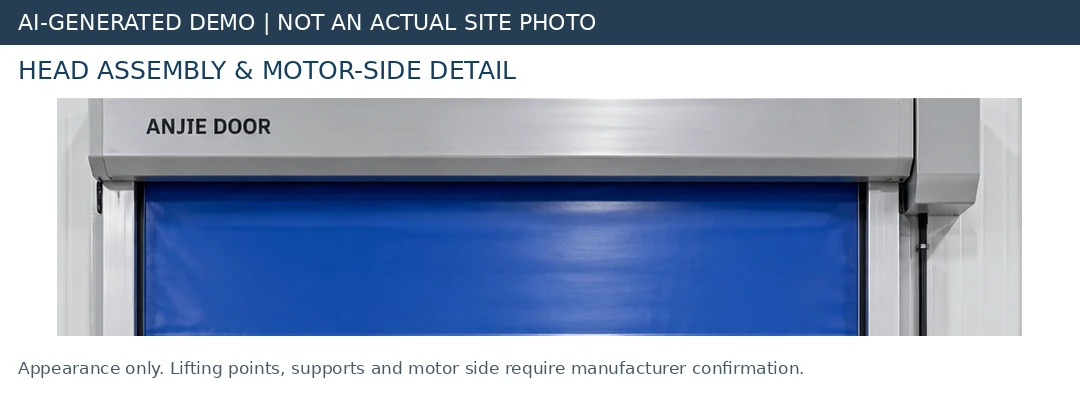
Head and drive checks
Once the assembly has been positioned and secured using the approved method, document the installed supports, drive connection, cover clearances and access for future servicing. The lifting support should not be released until the assembly is secured as the manufacturer requires. The lift plan must address load attachment, stability and the transition to permanent support. [5]
Our proposed photo record includes the support connections before covers are fitted, the motor identification plate and the available service space. These photographs help explain the installation but do not replace inspection or concealed-fixing records.
Curtain and guide checks
Determine whether the curtain arrives factory-mounted on the drum or requires an approved field-assembly procedure. Avoid unnecessary dismantling of a factory-set package. For this project's proposed inspection record, check the curtain identification, both edge profiles, guide entries, bottom assembly and the condition of any optional window before powered operation.
For a separately supplied curtain, the trained installer uses the specified attachment pattern and orientation at the drum, introduces each edge into its matching guide entry without twisting it, and fits the supplied bottom assembly and seals according to the model drawing. Where the curtain is factory-mounted, verify these interfaces instead of rebuilding the package. Use only the prescribed procedure for moving or unrolling the curtain during assembly. [2]
Record any twist, edge damage, foreign material or contact with adjacent components. Keep the curtain away from sharp debris and do not trim, drill or modify it to compensate for an unresolved dimensional problem. Any correction needs the manufacturer's method.
Treat “self-repairing” as a recovery feature, not permission for routine collisions. Obtain the specific recovery procedure for the selected curtain and guides; do not demonstrate it by striking the door with a forklift. The chosen product belongs to ANJIE's self-repairing zipper-door range, but a recovery test is not documented for this case. [1, 10]
Lubrication is model-specific: the HSC704A reference manual, for example, prohibits greasing its self-lubricating guide. Do not transfer either a “grease it” or a “never grease it” rule to a different guide system without checking its instructions. [9]
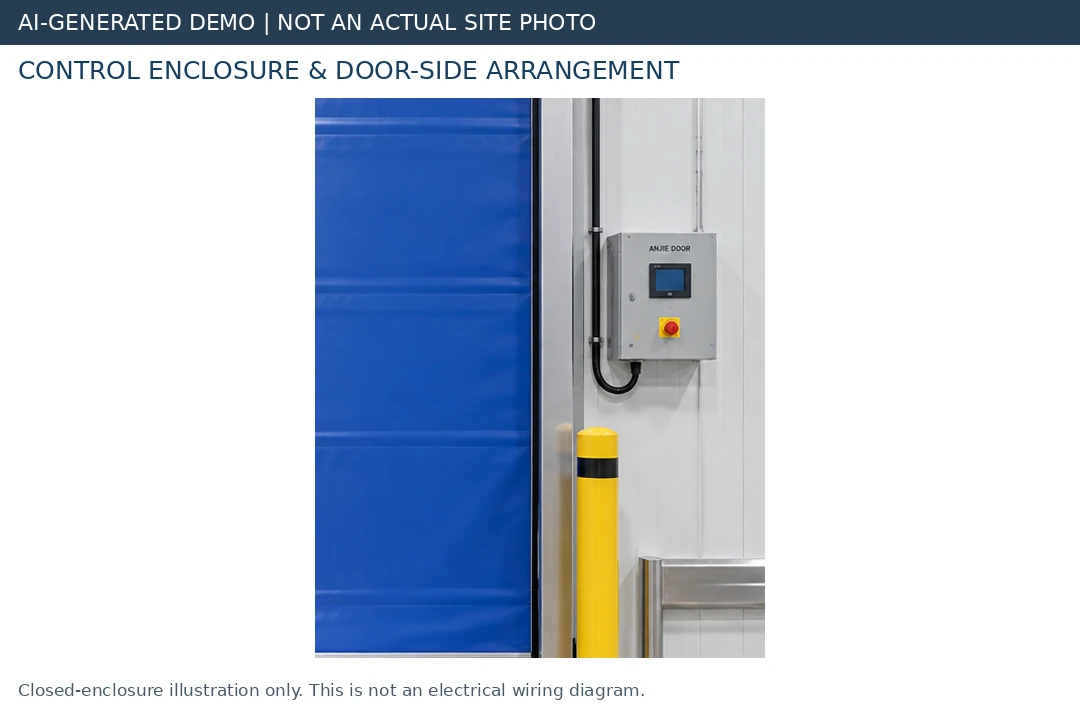
Step 5 – Install the control enclosure and make electrical connections
Agree a control location that is accessible for operation and service, outside the intended traffic envelope and consistent with the released arrangement. For this project, record the enclosure position, isolator location, cable routes and access from the warehouse and corridor sides.
Electrical connections must follow the supplied schematic and equipment ratings. They must be made by appropriately qualified personnel with the equipment isolated and its de-energized condition verified. Stored energy and possible alternative supplies must be considered. [12]
Proposed electrical completion record
Record the supply characteristics, controller and motor identification, protective measures, cable identification and the relevant electrical inspection results. The electrician should identify the schematic revision used and document deviations for approval—not leave unexplained changes inside the enclosure.
Confirm the installation details required for the actual equipment, including cable protection, strain relief, enclosure integrity and bonding where specified. No conductor size, terminal number, supply voltage or protective-device rating is established by the planning file. [1]
Close the enclosure and restore required guards before ordinary powered tests. Any specialist diagnostic work requiring exposed energized parts needs its own controlled procedure; it is not part of the routine installation demonstration. [12]
Step 6 – Integrate activation and protective devices
The customer requested opening from both sides, automatic closing, a safety light curtain and necessary presence detection. The final device models, positions and supplied scope still need confirmation. Commission the actual installed system, not the equipment shown in an AI picture. [1]
Opening detection is not the same as safety protection
An activation device requests access. Protective devices address defined hazards and must work with the controller as a complete system. HSE guidance emphasizes the compatibility of components and the circumstances of each installation rather than treating safety as a checklist of purchased parts. [6]
For example, BEA identifies FALCON as a motion-activation sensor and states that it does not detect an object after it stops moving. This illustrates why a motion detector must not automatically be credited with stationary-presence protection. It does not mean that BEA equipment is specified for this order. [7]
Proposed functional questions for this warehouse
| Situation to review | Question for the approved control and safety design |
|---|---|
| Forklift approaches from the warehouse | Is the request detected early enough for the agreed approach and stopping procedure? |
| Hand trolley approaches from the corridor | Does the selected activation mode accommodate this user and load? |
| Trolley pauses in the protected area | Is stationary occupancy covered by an appropriate protective function? |
| Traffic passes beside the doorway | Can unwanted opening requests be reduced without compromising required detection? |
| Safety device reports a fault | Does the controller enter the specified safe state rather than continue hazardous movement? |
| Automatic closing is enabled | Does the closing sequence respect protection, clearance and restart requirements? |
This table is an authored design-review aid, not an approved safety specification. The responsible team must define the protected areas, device performance and required responses for the actual installation.
Check whether cabinets, barriers, stored goods or the moving curtain affect the selected sensing arrangement. Evaluate opening and closing hazards, not only the bottom edge. A safety light curtain at one location must not be assumed to address every hazard elsewhere on the door. [6]
Hold point: Do not bridge, disable or desensitize a protective input merely to obtain a successful closing cycle. Resolve the fault or coverage issue before release to automatic service.
Step 7 – Carry out controlled initial movement and adjustment
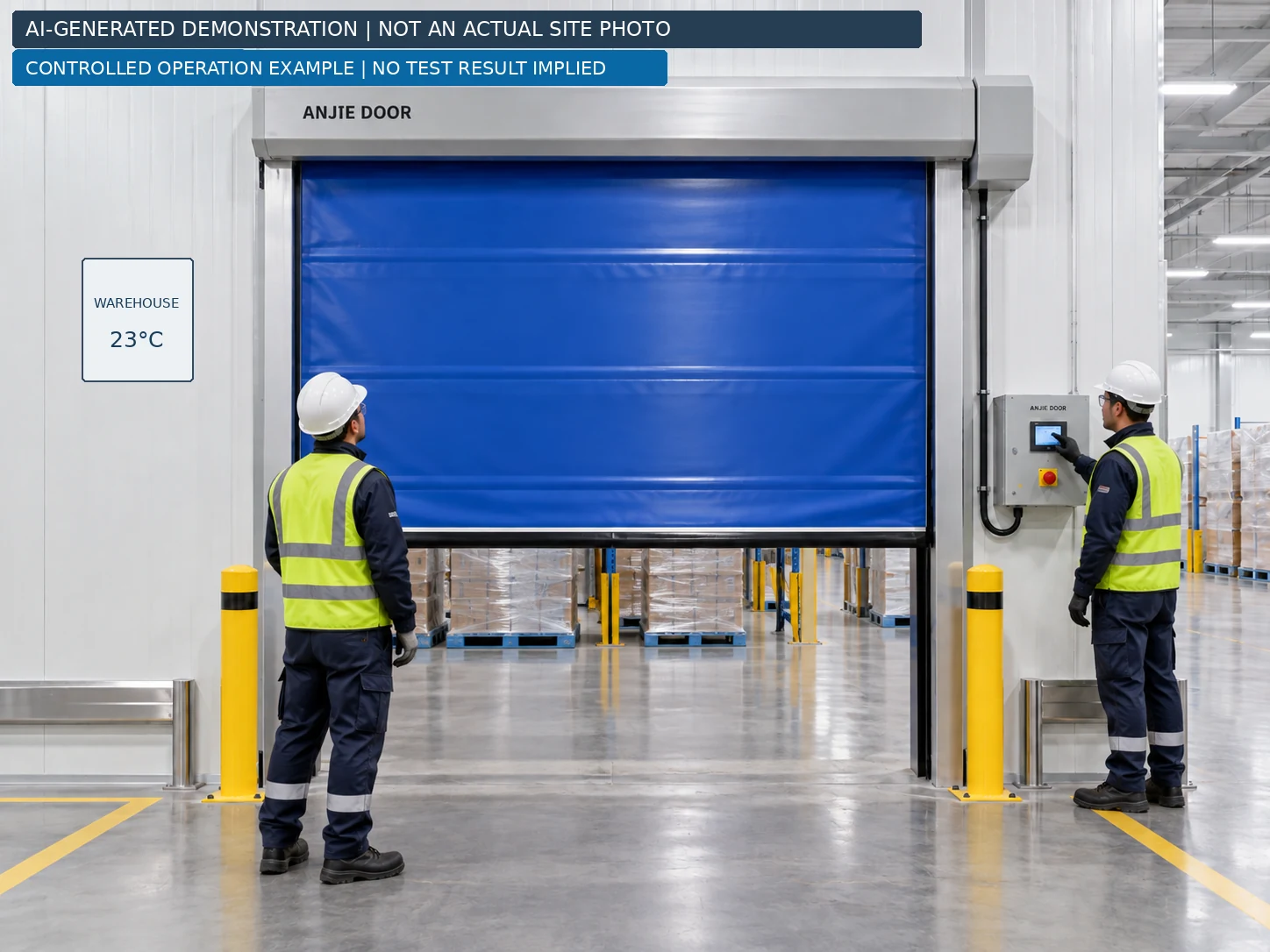
Before first powered movement, complete the mechanical and electrical checks, clear the working area and establish the manufacturer's commissioning mode and procedure. Keep automatic traffic operation unavailable until the acceptance checks are complete. Initial movement is a controlled engineering activity, not a live warehouse trial. [2, 8]
Record settings instead of copying generic values
Use the model-specific procedure to establish direction, position feedback, open and closed limits, and permitted motion settings. This article deliberately supplies no universal opening speed, closing speed, delay or control-menu sequence. The coordination record provides none of these parameters. [1]
For the project record, capture the agreed settings and observations: curtain tracking, limit repeatability, bottom-seal contact, unusual noise, vibration, rubbing and any controller faults. Stop and investigate an abnormal condition before continuing. Never mask a mechanical issue by raising force, current or speed limits.
Measure the limiting clear width and height when the door is at its final open position. Record Wc and Hc against the approved vehicle-and-load envelope; do not copy the original opening dimensions into those fields. The project drawing explicitly keeps them separate. [1]
Repeat tests as required by the manufacturer's procedure and site risk assessment. An arbitrary number of successful cycles is not, by itself, evidence that the door is safe. [8]
Step 8 – Complete the commissioning and safety checks
Before handover, use a written acceptance procedure covering the installed configuration. HSE's work-equipment guidance supports inspection after installation where safety depends on installation conditions, with the scope shaped by risk assessment and manufacturer recommendations. It is a general reference here, not a claim about this project's jurisdiction. [8]
The following is a proposed record structure, not a completed report or a replacement for the required test procedure. Every result must be entered from actual inspection. Do not prefill “PASS” from an illustration.
| Check | Acceptance question | Evidence to record |
|---|---|---|
| Structure and assembly | Are supports, fixings, guards and the door arrangement consistent with the approved design? | Inspection, drawing revision and fixing records |
| Clear passage | Do measured Wc and Hc meet the approved traffic requirements? | Actual dimensions and limiting component |
| Door movement | Are tracking and end positions repeatable without abnormal contact? | Observations, settings and faults |
| Activation, both sides | Does each installed opening device perform its intended function? | Device identification and observed response |
| Protective devices | Does each device produce the specified protective response? | Approved method, target positions and results |
| Stationary occupancy | Is the required occupied area protected while the target remains stationary? | Coverage review and specified test results |
| Fault response | Does a prescribed device-fault test produce the required safe state? | Manufacturer-approved test and result |
| Stop and restart | Do fitted stop functions and restart behavior match the approved design? | Observed response and reset conditions |
| Power loss and manual operation | Are the supplied manual method and return to power demonstrated correctly? | Procedure, observations and operator training |
| Final release | Are required tests complete and safety-related defects resolved? | Sign-off, outstanding-item record and release status |
Test protection without exposing a person to danger
Use the manufacturer's specified test methods, suitable test objects and competent personnel. Do not use a hand, head or person standing under a descending curtain as a test target. Where the design relies on force limitation, the responsible specialist must determine and perform the required objective measurements; watching the door reverse is not an equivalent test. [6]
For this case, request a specific demonstration that a stationary obstruction in the defined protected zone receives the intended protection. Document that zone's limits rather than claiming that one demonstration proves protection throughout the whole approach area.
Release rule: A failed safety function means no release to automatic service. Place the door in a safe condition, arrange correction and repeat the relevant acceptance checks. [6]
Step 9 – Demonstrate manual operation and document the finished condition
The project requires manual opening during a power failure, but it does not yet identify a crank, chain, release or other mechanism. The handover demonstration must use the actual supplied method, including its operating position, precautions and return-to-power procedure. A generic blog cannot establish that sequence. [1]
Before demonstrating manual operation, apply the specified isolation and restraint measures. Consider any part that could move or fall when a brake or drive is disengaged; do not improvise a release method. [11]
What to include in the actual handover record
Provide the as-installed drawing, measured clear passage, final configuration, operating instructions, test records, controller settings and service contact. Record who received operator training and identify any permitted-use restrictions.
Photograph the real installation closed and fully open from both sides, plus the head assembly, guides, controls and relevant safety equipment. Keep the actual inspection record separate from this article's demonstration images. No installation date, customer endorsement or successful commissioning result is claimed for the planning example.
After installation – Maintenance, faults and operator training
Agree the inspection and maintenance plan before the door enters service. Separate simple operator observations from work requiring isolation, special tools or qualified technicians. Follow the supplied product documentation and risk assessment rather than selecting a universal monthly or annual interval from a blog. [9, 11]
For this project, the proposed operator briefing covers keeping the passage clear, reporting damaged curtain edges or unusual movement, understanding normal controls and knowing whom to contact after a fault or impact. Include the approved instructions for cleaning and routine checks. Users should not enter the moving door's action area or perform unauthorized adjustments. [9]
A practical fault-reporting guide
These are reporting prompts, not diagnoses or repair instructions. Stop using a door whose condition may be unsafe and leave corrective work to authorized personnel. [11]
| Observation | Information to capture for the service team |
|---|---|
| Curtain runs unevenly or rubs | Where it occurs, direction of travel, recent impact and visible guide condition |
| Door opens without intended traffic | Time, nearby movement, sensor indication and environmental conditions |
| Door will not close | Displayed fault, protective-device indication and visible obstruction |
| Bottom edge does not meet the floor correctly | Photograph of the gap, floor changes and observed closing position |
| Manual opening is difficult or unclear | Supplied mechanism, procedure available and point at which the difficulty occurs |
Do not assume that a recurring opening request is a controller defect. BEA's FALCON guidance, for example, identifies moving doors, vibration and environmental interference as possible causes for that particular sensor family. The installed device needs its own troubleshooting instructions. [7]
Frequently asked questions
How long does a PVC high speed door installation take?
This case has no verified installation duration. A project schedule should account for delivery condition, supports, access equipment, electrical readiness and the required testing. Do not promise a one-day installation from an AI demonstration sequence.
Should the guides or head assembly be installed first?
Use the supplied model's method. Manufacturer manuals illustrate different assembly arrangements; the images in this article explain components and checkpoints, not a universal build order. [2, 3]
Does a self-repairing curtain eliminate the need for safety sensors?
No. Recovery after disengagement and protection of people are different functions. The selected door needs its own coordinated safety design and verified protective responses. [6, 10]
Will the finished opening remain 2395 × 2400 mm?
That is not established. Those are the customer-reported building dimensions. Final Wc and Hc must be confirmed from the installed arrangement and checked against traffic requirements. [1]
Ready to plan your warehouse door installation?
Send ANJIE DOOR your opening dimensions, available mounting space, photographs from both sides, traffic and load details, power-supply information and local installation requirements. These provide the starting point for a coordinated door specification and installation drawing.
Explore the Self-Repairing Zipper PVC High Speed Door, compare the PVC High Speed Roll Up Door, or contact ANJIE DOOR to discuss your project.
 Industrial Self-Repairing Zipper PVC High-Speed DoorVIEW PRODUCTS